Willstone

For estate planning, trust, probate & elder-law firms

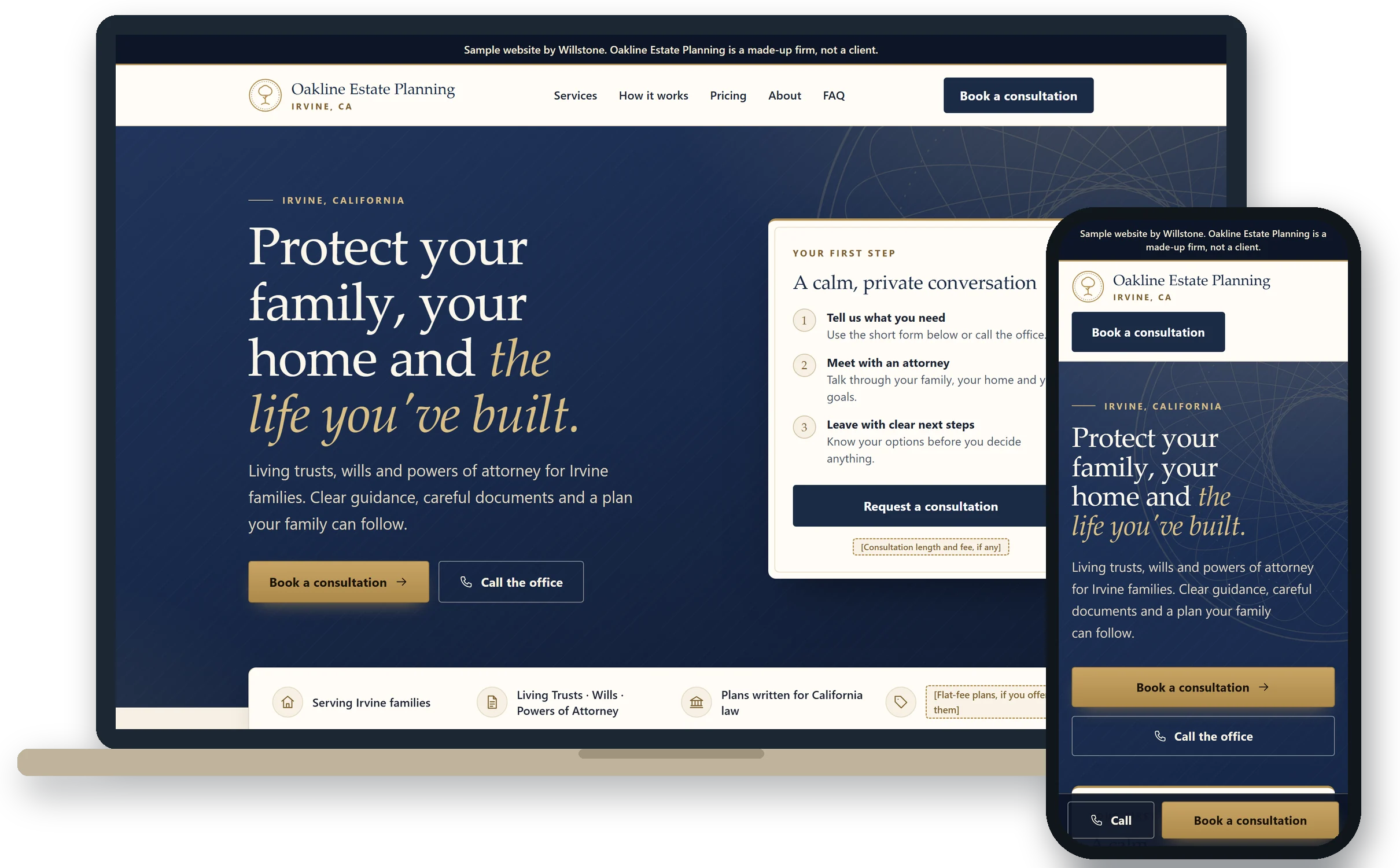
Google Ads, a website and a Google profile, run for your firm by one person.

I run your Google Search ads and Local Services Ads myself, build a fast, simple website that gets the right people to click "book," and keep your Google profile active with weekly posts and review requests to every client. You get your numbers every Monday. One flat monthly fee, and your firm owns every account.

Or just reply to my email. I answer within one business day.

Founder video from Andre Tolu, coming soon
Watch: 90 seconds from AndreVideo coming soon.
  • Live in 14 daysAds and Google profile, once your onboarding checklist is complete, or month 2 is free. Your website follows about 2 weeks later.How the clock works
  • One flat feeNever per lead, consult or client, and never a share of your fees.
  • You own it allEvery account is opened in your firm's name.
  • You approve it allEvery ad, page and script, in writing, before it runs.

Now taking on firms in California, Arizona, Nevada, Colorado, Washington, Oregon and Utah.

When a family calls an estate attorney, it's usually because something just happened, and they call when they can, often after your office closes. They search, they compare the firms on the map, and the next firm is one tap away. My job is to make sure your firm shows up, looks like the right choice, and books the consult.

§ 1 · The work

What I do for your firm

Eight pieces, in the order they matter, set up together and run by one person: me.

  1. Google Ads, run by me

    Search ads for living trust, will, probate, trust administration and elder-law searches in your area, plus your Local Services Ads (the "Google Screened" listings), all in accounts in your firm's name. Plenty of agencies hand your ads to an offshore team. I make every change myself, and you can reach me directly.

    Every plan includes quality-based tracking: Google is told which clicks became qualified consults (and later, paid consults and signed clients), so your budget shifts toward the people worth your firm's time, not just anyone who calls.

  2. A website built to get the call

    A fast, simple site on your own domain, built so the right people click "book." Clear services, the responsible attorney and office named, and nothing that slows a family down. Your attorney approves all of the copy.

    Full System

  3. Your Google profile, kept active

    Services, categories, hours and photos set up for each real, staffed office, then a new Google post every week so the profile never goes stale.

  4. Reviews from every client

    A simple review request that goes to every client, not just the happy ones. No review gating, no incentives, and replies never confirm that anyone was a client.

  5. Local SEO

    On-page fixes so Google understands what you do and where, plus one local article a month, written for the searches families in your area make.

    Full System

  6. An AI receptionist, with screening if you want it

    It sounds natural, not like a phone menu. It answers missed and after-hours calls, says up front that it's an AI and that the call is recorded, answers basic questions and books the consult. It never gives legal advice. Optional screening questions you pick, on fit only, run on the site and the phone before booking.

    On Full System and Growth, you can also take an optional consult deposit at booking, paid straight to your firm through its own payment system, like LawPay or Clio Payments, never to me. Your firm sets the amount and the refund policy, and holds the money under its trust-account rules.

    Full System and Growth, or an add-on to Ads (deposits: Full System and Growth)

  7. Every booking, where your office works

    Each consult lands on your calendar and in your client system. I plug into the one you use, like Clio Grow or Lawmatics, or set one up in your firm's name.

    Anyone who fills out your website form gets a text or email within about a minute with a link to book. Everyone who books gets reminders before the consult, by email, plus text where they agreed to it, with a short “what to expect” video from your firm. Texts go only to people who said yes, and only once the phone carriers approve your firm's texting registration. This is included in Full System and Growth at no extra cost.

    Full System and Growth

  8. A report every Monday

    Calls, the share answered, consults booked, ad spend, cost per booked consult, and what I changed and why, in your inbox every Monday morning.

§ 2 · Reporting

One short email, every Monday

Every Monday morning you get the week on one page: calls, how many were answered, consults booked, ad spend, cost per booked consult, and what I changed and why.

It shows totals only. Caller names, recordings and transcripts stay in accounts in your firm's name. If your office tells me which consults signed, I'll add that line so you can see the real return.

For the first 90 days I also check in with you every two weeks. After that, a 30-minute call each month.

Sample

Willstone · Monday report

[Your firm], week 6

Sample figures for one week. Made-up numbers.
Calls from your ads and Google profile34
Answered by your office or the AI receptionist3397%
Answered after hours by the AI receptionist11
Consults booked9
Ad spend$1,920
Cost per booked consult$213

What I changed and why

  • Blocked "free will template" searches: 41 clicks, no calls.
  • Moved budget toward "trust administration attorney" searches, which drove the most calls.
  • Sent you a new probate ad. It won't run until you reply "Approved."

Sample report. Made-up numbers to show the format. Not results from any firm, and not a forecast.

Want to know if this fits your firm?

Email me your firm and city. On a 20-minute call I'll go over your Google profile, your site and what trust and probate searches cost near you, and tell you straight whether it fits.

Email me

§ 3 · Process

How it works

  1. A 20-minute call

    I look at your Google profile, your site and what ads would cost for trust and probate searches in your city, and tell you straight whether it fits. If the numbers don't work, I'll tell you not to hire me.

  2. Live in 14 days

    Once your onboarding checklist is complete, your Search ads, Google profile and (on Full System) AI receptionist go live within 14 days, or your second month is free. Your new website launches about 2 weeks after that.

  3. Numbers every Monday

    You get the Monday report, a check-in every two weeks for the first 90 days, then a call each month. Email me any time and I reply within one business day.

How the 14-day clock works

  • "Live" means Search ads running and your Google profile updated, plus the AI receptionist answering on Full System or with the add-on.
  • The website is outside the 14 days. It launches about 2 weeks after the rest, because your attorney approves all of its copy and I need access to your domain.
  • On Growth, Meta ads and the first videos start after the 14-day launch, usually within about 30 days of kickoff, once your attorney approves the first ads and scripts.
  • Day 1 is the day after I email you that your onboarding checklist is complete.
  • Days spent waiting on your side pause the clock. So do Google verification, Google's Local Services screening and carrier text-message approval, which run on their own schedules.
  • You have up to 3 business days for each approval. The plan assumes about 1, and any extra days pause the clock.
  • If I miss the deadline, month 2 is free. It's a one-time credit and doesn't cover setup or ad spend.
  • If an item waits on your side for more than 10 business days, the 14-day promise ends. The work keeps going.

Full terms are in the agreement.

SampleGoogle takes a few days to verify your profile after day 8. The clock stops, then picks up again at day 9.

See the day-by-day launch plan
  1. Kickoff
    A 45-minute kickoff call

    I walk you through the onboarding checklist, you grant access live, and I open the AI receptionist and texting accounts in your firm's name. The texting registration and the Local Services application start here.

    You: your attorney, about 45 minutes.

  2. Days 1–4
    I build everything, paused

    An audit of your ads, Google profile and local competitors. Search campaigns built in your account and left paused. Ads written, each carrying your firm's name. The AI receptionist built on your firm's line and connected to your calendar. On Full System, I also start your website draft.

    You: nothing.

  3. Day 5
    Approval packet to your attorney

    Ads, keyword themes, Google profile changes, the AI script (including after-death and urgent calls) and the text templates.

    You: approve or mark edits, within 3 business days.

  4. Days 6–7
    25 scripted test calls

    Legal-advice fishing, after hours, urgent calls, elderly callers, an adult child calling for a parent, out-of-scope matters and a caller who declines recording. I fix what fails.

    You: nothing.

  5. Days 8–10
    Edits, a real test booking, sign-off

    I apply your edits the same day, publish the approved profile changes, and have the AI book a test consult on your real calendar.

    You: a 15-minute test call, then a written "Approved to launch."

  6. Day 11
    The AI receptionist is answering

    A 15-minute session with your office manager turns on forwarding for missed and after-hours calls, then 6 live test calls from different phones.

    You: your office manager, 15 minutes.

  7. Day 12
    Search ads go live

    I check search terms at midday and end of day, then email you "You're live," confirming all three with dates.

    You: nothing.

  8. Days 13–14
    Spare days

    Built-in slack. I check search terms and calls both days.

  9. Day 15
    Your first Monday report

    Then a 30-minute launch review that week. Local Services listings and texting start when Google and the carriers finish their approvals, outside the 14 days.

  10. About 2 weeks later
    Your new website launches

    On Full System, once your attorney approves all of the copy in writing and I have access to your domain. This is outside the 14 days.

    You: your attorney reviews the copy, up to 2 rounds of edits.

Days are calendar days. If an approval takes longer than a day, the later days move back by the same amount. AI receptionist steps apply on Full System or with the add-on.

§ 4 · Ethics

Built around lawyer-advertising rules

I'm not a lawyer. Your ethics counsel has the final word on anything that runs under your firm's name, and I'm glad to send the agreement straight to them.

  • A firm attorney approves every ad, page, video and script in writing before it goes live. I keep a dated log of every approval.
  • Every ad carries your firm's name, and every page it sends people to names the responsible attorney and office.
  • Flat fee only. I don't refer clients, I take no part of your fees, and I never send your callers to another firm.
  • The AI receptionist only answers basic questions, takes details and books consults. Any legal question goes to your attorney, and it never places outbound calls.
  • Screening questions are optional, and on fit only: practice area, county, type of matter, urgency and willingness to pay for the consult.
  • Review requests go to every client. No gating and no incentives.
  • Texts go only to callers who said yes.
  • For my founding firms, I won't run Google Ads for another estate planning firm within 10 miles.
  • I never ask for your passwords. Access comes through invites, and no contractor ever gets access to your Google Ads or Local Services accounts.

§ 5 · Pricing

Pricing, in full

Three flat monthly plans, published here. Never per lead, consult or client, and never a share of your fees.

Ads

$2,000/ month

$1,500 one-time setup

  • Google Search ads and Local Services Ads, run by me, with quality-based tracking
  • Your Google profile optimized, plus a Google post every week
  • Review requests to every client
  • The Monday report

Add the AI receptionist for $500 a month plus $500 setup.

First term: $7,500 over three billed months including setup, plus your ad budget.

Email me

Recommended

Full System

$3,500/ month

$4,500 one-time setup

Everything in Ads, plus:

  • A fast, simple website on your own domain, built to get the right people to click "book"
  • Local SEO: on-page fixes and one local article a month
  • The AI receptionist for missed and after-hours calls
  • Optional screening questions you pick, on the site and the phone
  • Optional consult deposits at booking, paid straight to your firm, never to me
  • Every booking on your calendar and in your client system
  • Instant follow-up: anyone who fills out your website form gets a text or email within about a minute with a link to book, and everyone who books gets reminders before the consult, with a short “what to expect” video from your firm. Texts only with consent, once the carriers approve your firm's texting registration. No extra cost.

Add retargeting + live Q&A for $750 a month, setup included.

First term: $15,000 over three billed months including setup, plus your ad budget.

Email me

By application · 2 firms

Growth

$7,500/ month

$7,500 one-time setup

Everything in Full System, plus:

  • Meta (Facebook and Instagram) ads that bring back people who visited your site but didn't book, with an invite to a live Q&A with your attorney, and that fill free living-trust workshops or webinars
  • 8 short videos a month, 2 a week: I write the scripts, your attorney films them, and I edit and post them
  • Your attorney approves every ad and video before it runs. Where a state requires attorney ads to be filed, like Nevada, your firm files them and I provide the approved copy.

I take only 2 Growth firms at a time, because I do all of it myself. First term: $30,000 over three billed months including setup, plus your ad budgets. No founding discount.

Ask about Growth

First 3 firms

Founding

$2,900/ month

Full System, no setup fee

Open to the first 3 firms that sign by January 29, 2027. Estate planning is a new focus for me, so my first three firms get the Full System on founding terms.

First term: $8,700 over three billed months, plus your ad budget.

Ask about a founding place

Every plan includes

Every account in your firm's name, your attorney's written approval before anything runs, check-ins every two weeks for 90 days and then monthly, replies within one business day, and live in 14 days or month 2 is free.

What's in scope

The website is up to about 8 pages, with 2 rounds of edits. One Google post a week. Local SEO is on-page fixes plus one local article a month. Growth includes 8 short videos a month. Anything outside a plan, like social media content on Ads or Full System, or extra pages, is quoted separately.

Add-on on any plan

Past-client plan reviews, $750 per campaign, on any plan: an email to your firm's own past clients inviting them in for a plan review, because a marriage, a divorce, a move, a death or new assets can leave an estate plan stale. Your attorney approves every word. It goes out from your firm's own email system, in your firm's name, to your firm's own list, labeled as an advertisement where your state's rules require it, and every unsubscribe is honored.

Setup fees

Setup fees are paid upfront and are non-refundable once work starts. Founding places have no setup fee.

Paid directly, never marked up

Ad spend goes from your card straight to Google (and to Meta on Growth or with the retargeting add-on), with no markup. You set the budget and can lower it any time. Local Services Ads charge per lead, but that's Google's ad pricing, paid by you to Google, like a click. I get none of it, and my fee doesn't change. The AI receptionist, phone and texting accounts are in your firm's name, so each provider bills your firm directly.

Terms in plain words

Billing starts at go-live or 30 days after kickoff, whichever comes first, monthly in advance by ACH. The first term is three billed months. Give 30 days' notice during your second billed month and you're done when the third ends. After that it's month to month on 30 days' notice. Leave during the first term and the rest of it is still due, except under the two exits below.

Two ways out early

If I can't personally run your account for more than 10 business days, you can leave right away, with no notice period. The agreement also lets you end it if your professional obligations require it. Either way, every account is already in your firm's name.

§ 6 · After hours

What happens to a call at 7:40 PM

Your office closed at 5:30. Here is the same call with the AI receptionist in place, on Full System or the Ads plan with the add-on.

SampleTimes, names and wording are illustrative. Your attorney approves the real script in writing before it takes a single call.

  1. A search

    Someone in your city searches "probate attorney near me." Your ad shows, with your firm's name on it, and they tap to call.

  2. The call is answered

    Your office is closed, so the call forwards to the AI receptionist, on a line in your firm's name.

    SampleTranscript, shortened

    1. AI receptionist"Thanks for calling [your firm]. I'm an AI assistant that answers calls for the firm through an outside phone service, and this call is recorded. How can I help you today?"
    2. Caller"My mom passed last month. Do we have to go through probate?"
    3. AI receptionist"I'm so sorry for your loss. That's a good question for the attorney. I can't give legal advice, but I can set up a time for you to ask them."

    If the caller would rather not be recorded, it ends the call so nothing more is recorded, and your office follows up during business hours.

  3. The consult is booked

    It asks only what's needed to book, plus any screening questions you chose, offers times from your calendar and waits for a clear yes. It never asks about assets, account numbers, medical details or what's in anyone's documents. Urgent matters are flagged under your rules and sent to the number you choose.

  4. Your office picks it up

    The booking is on your calendar and in your client system, with the recording and transcript in accounts in your firm's name.

§ 7 · The founder

Who you'd work with

I'm Andre Tolu, the founder of Willstone. I've run my own businesses for about six years, and I've run Google Ads for local service businesses, including my own. I built Willstone so one person runs your ads, your website and your Google profile, and you always know who's doing the work.

Willstone is just me, on purpose. A lot of agencies sell you on a senior strategist, then a junior or outsourced team runs the account day to day. I build your ads, I make every change in your account, I watch it every week, and I answer your emails myself.

I take on a small number of firms so each one gets my full attention. If it's not a fit, I'll tell you on the first call.

Andre Tolu Founder, Willstone · San Diego

§ 8 · Questions

Questions worth asking

Which firms do you work with?

Estate planning, trust, probate and elder-law firms in California (outside San Diego), Arizona, Nevada, Colorado, Washington, Oregon and Utah. I keep the number of firms small on purpose. My founding firms also get a 10-mile radius: I won't run Google Ads for another estate planning firm within 10 miles of theirs.

Does this fit my state's lawyer-advertising rules?

I built it around the rules on referral fees, fee-sharing and lawyer advertising: one flat monthly fee, never per lead or a share of fees, only your firm promoted, under your name, and nothing live without a firm attorney's written approval. I'm not a lawyer, so your ethics counsel should confirm it for your state. I'm glad to send them the agreement.

Local Services Ads charge per lead. Isn't that what you avoid?

That's Google's ad pricing, paid by you directly to Google, like a click. I get none of it, and my fee doesn't change.

What's the difference between the plans?

Ads ($2,000 a month plus $1,500 setup) is your Google Search ads and Local Services Ads with quality-based tracking, your Google profile with a post every week, review requests to every client and the Monday report. Full System ($3,500 a month plus $4,500 setup) is everything in Ads, plus a new website, local SEO, the AI receptionist with optional screening and optional consult deposits, and every booking sent to your calendar and client system. Growth ($7,500 a month plus $7,500 setup, by application, 2 firms at most) is everything in Full System, plus Meta ads that bring back site visitors who didn't book with an invite to a live Q&A with your attorney and fill free living-trust workshops or webinars, plus 8 short videos a month. You can add the AI receptionist to Ads for $500 a month plus $500 setup, or retargeting + live Q&A to Full System for $750 a month, setup included. Past-client plan reviews can be added to any plan for $750 per campaign. Full System and Growth also include instant follow-up for website forms and reminders before every booked consult, at no extra cost. The first 3 firms that sign by January 29, 2027 get Full System at $2,900 a month with no setup fee.

What's in the Growth plan?

Growth is $7,500 a month plus $7,500 setup, by application, and I take only 2 Growth firms at a time, because I do all of it myself. It's everything in Full System, plus two things. First, Meta (Facebook and Instagram) ads that bring back people who visited your site but didn't book, with an invite to a live Q&A with your attorney, and that fill free living-trust workshops or webinars, so you reach families before they ever search. Second, 8 short videos a month, 2 a week: I write the scripts, your attorney films them in a few minutes, and I edit and post them. Your attorney approves every ad and video before it runs. Where a state requires attorney ads to be filed, like Nevada, your firm files them and I provide the approved copy. Meta may treat living-trust ads as financial-services ads, which limits targeting, so I don't promise targeting by age or ZIP code. The first term is $30,000 over three billed months including setup, plus your ad budgets, which go from your card straight to Google and Meta. There's no founding discount on Growth.

What is quality-based tracking?

Most ad accounts tell Google to find more calls, and a lot of calls are people who were never going to hire you. On every plan, I set up your account so Google is told which clicks became qualified consults, and later, which became paid consults and signed clients. Over time, your budget shifts toward the people worth your firm's time. The honest limits: Google needs a few weeks of data before it learns from this, and a small firm starts by counting qualified bookings until there's enough data to go further. Only click IDs and the booking stage are shared with Google, never client names or contact details unless your firm agrees in writing. It changes what your ads aim for. It doesn't promise a number of consults or clients.

Can people leave a deposit when they book?

If you want them to, on Full System and Growth. Callers and website visitors can leave a consult deposit when they book, paid straight to your firm through its own payment system, like LawPay or Clio Payments, never to me or Willstone. Your firm sets the amount and the refund policy, and holds the money under its trust-account rules. The AI receptionist never takes card numbers itself; the deposit is paid through your firm's payment page. Your attorney approves the deposit wording before it runs. It's optional, alongside the optional screening questions.

How does the live Q&A work?

It comes with the retargeting + live Q&A add-on on Full System ($750 a month, setup included) and with Growth's Meta ads. People who visited your site but didn't book see a Facebook or Instagram ad inviting them to a live Q&A your attorney hosts twice a month. Registrants answer your firm's screening questions, and the ones who fit are invited to book a consult. On the call, your attorney gives a short talk on a topic like trusts vs. wills, then answers general questions. There's no individual legal advice on the call, and people are asked not to share private details in the group. Anyone who wants advice on their own situation books a consult. It runs only after your website has a clear privacy notice and consent for advertising cookies, and I keep tracking off your intake, booking and screening pages. Meta may treat estate-planning ads as financial-services ads, which limits targeting, so I confirm that with your firm before launch. The ad account is in your firm's name, and ad spend goes from your firm's card straight to Meta.

Do you do social media?

Yes, on the Growth plan only: 8 short videos a month that I script, your attorney films, and I edit and post. On Ads or Full System, social media content is quoted separately. Full System can add retargeting ads on Facebook and Instagram with the live Q&A add-on.

What's included in the website?

On Full System, a fast, simple site on your firm's own domain, up to about 8 pages, with 2 rounds of edits. It's built so the right people click "book," and every page names the responsible attorney and office. Your attorney approves all of the copy in writing. It launches about 2 weeks after your ads and Google profile, because it needs that approval and access to your domain. Hosting is included in Full System at no extra cost. Extra pages are quoted separately.

Do I need a client system or CRM?

No. On Full System, every booking goes to your calendar and into your client system. I plug into the one you use, like Clio Grow or Lawmatics. If you don't have one, I set one up in your firm's name.

What isn't included?

Anything outside your plan, like social media content on Ads or Full System, or extra website pages, is quoted separately, and nothing extra starts unless you sign for it. Ad spend is separate too, and goes from your card straight to Google.

What will the AI receptionist say, and what won't it do?

It's on Full System and Growth, or an add-on to Ads. It sounds natural, not like a phone menu, and its first sentence says it's an AI and that the call is recorded. It answers basic questions, collects only what's needed to book and run your conflict check, asks any screening questions you chose (on fit only: practice area, county, type of matter, urgency and willingness to pay for the consult), and gives out-of-scope callers wording you've approved. It never gives legal advice, never says a booking makes someone a client, and never places outbound calls. Before launch it goes through 25 scripted test calls, and you can review every transcript.

Will it replace my front desk?

No. In the usual setup, calls ring at your office first, the same as now. Only calls that go unanswered after about four rings, hit a busy line or come in after hours go to the AI line. Your main number never changes.

What if an adult child calls about a parent?

It notes who is calling and for whom, books in the prospective client's name and flags it for your office. Your rule decides whether the parent needs to be on the consult.

Can you promise a number of consults?

No. Nobody honest can promise leads, consults, clients or rankings. What I commit to in writing: ads and Google profile (and the AI receptionist on Full System) live within 14 days of your completed checklist or month 2 is free, the website about 2 weeks after that, a report every Monday, and every change in your Google Ads account made by me.

How much should my firm spend on ads?

It depends on your city and the work you want more of. On the 20-minute call I look at what trust and probate searches cost near you and recommend a starting budget. Ad spend goes from your card straight to Google, and you can lower it any time.

How much time does this take from my firm?

Your attorney: about 45 minutes at kickoff, 30 minutes on the first approval packet, a 15-minute test call and a few minutes for final sign-off, plus reading and approving the website copy on Full System. Your office manager: an hour or two gathering the checklist items, plus 15 minutes to switch on call forwarding. After launch, a few minutes per new ad.

You're one person. What if you're unavailable?

Everything is in your firm's name, so nothing is lost. And it's in the agreement: if I can't personally run your account for more than 10 business days, you can leave right away, with no notice period. It's also why I take on a small number of firms.

Who owns everything if my firm leaves?

Your firm. Your ad accounts, Google profile, website and domain, client system, phone numbers, the AI receptionist and texting accounts, pages, recordings and data are all in your firm's name, and access is never withheld, even in a billing dispute. I never ask for your passwords; access comes through invites.

Can you help with our past clients?

Yes, with the past-client plan reviews add-on, $750 per campaign, on any plan. I write an email inviting your firm's own past clients in for a plan review, because a marriage, a divorce, a move, a death or new assets can leave an estate plan stale. Your attorney approves every word, and it goes out from your firm's own email system, in your firm's name, to your firm's own list. Where your state's rules require it, it's labeled as an advertisement, and every unsubscribe is honored. It invites people to book a review. It doesn't promise how many will.

When do the text confirmations start?

Once the phone carriers approve your firm's texting registration, usually a few weeks after kickoff. That approval is outside the 14 days. Texts only go to people who said yes.

Contact

Talk to me directly

Email is the fastest way to reach me. Tell me your firm and city, and I'll reply within one business day.

andre@willstone.net

Or just reply to my email.

Prefer to start small? Ask for the 3 changes I'd make to your Google profile.